
New York, United States, February 11th, 2026, FinanceWire
Dreamina AI announces the release of an AI Virtual Try-On Workflow Framework centered on structured, image-based garment visualization processes. The framework documents a staged method for combining reference photography, prompt-guided synthesis, refinement editing, and motion rendering within digital apparel and accessory preview production. The publication presents a comprehensive process overview describing how visual try-on outputs are formed without reliance on physical garment samples, live models, or in-person photography sessions.
When purchasing online, imagery has become a primary influence in purchasing decisions. With flat images, consumers are often left to estimate how a garment will fit or appear on a person. The AI Virtual Try-On Workflow Framework provides details of a repeatable production process that outlines predictable steps applied to reference inputs to produce composited previews. Rather than making claims about eliminating changing rooms, the framework is positioned as a repeatable workflow intended to help define digital presentation spaces.
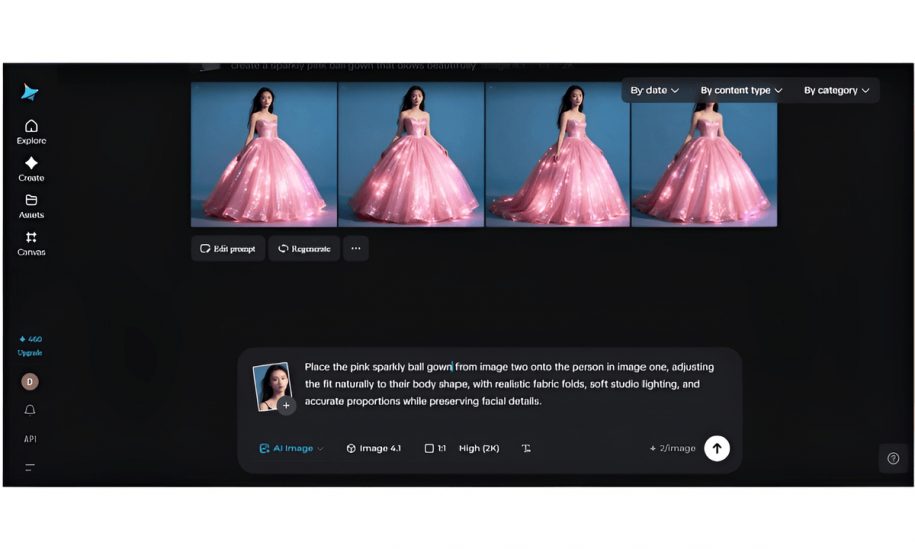
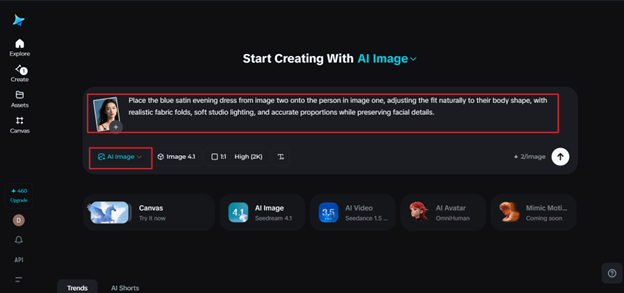
Reference is made to two images: a photo of a person (source) and an image of a garment or accessory. The two mentioned inputs become the foundation of the structure. From here, prompts can be used to identify garment position, fabric simulation, lighting/shadowing, and scale to line up correctly. According to documentation, “Clarity of prompts determines how well your clothes will fit, fall, seams will line up, and where your accessories will go.”
Generation utilizes Seedream 5.0 AI Image Generator (labeled as the generator block). The title page states that “room layout, shape perception, and layering” went into the making of the first output image. Technical Elements listed include garment fold recognition, clothing skin-offset, cut-in logic, and multi-layer clothing visualisation with varied textures. These sections are separated by categories in an attempt to create a unified image of the garment and the subject.
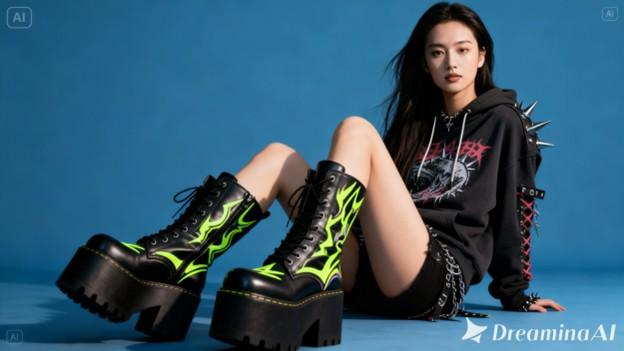
The second phase is editing. The documentation states this is a continuation of creation. Some tools listed are localized inpainting, deletion, re-touching, line corrections, and extending the canvas or background. These are stated to be steps taken during the process as opposed to after everything is completed. Adjustments that can be made include fixing holes or inconsistencies in clothing edges, resolving dropped folds or wrinkles, enhancing texture, and fixing shadows.
Refinement additionally covers color balancing and background edits. If arms were raised during creation, there may be slight warping near the sleeves, neckline, or bottom of the clothing. Users can use region-specific sliders to recalibrate the issue in these areas if desired. Users can also add background elements to create a more realistic background or give themselves more space in the photo if they desire it to look like a catalog screenshot. Framing editing as just one part of a pipeline may give users more agency, allowing them to see refinement as something that can be baked into a desired try-on experience.
Animation was mentioned as a post-process to creating still images. The whitepaper mentions creating “micro animations that show the garment dynamics, secondary motion of the added clothing accessories, and overall coherence of the model as they shift to slightly different poses or viewpoints”. Animation was framed as useful for animated lookbooks, reels, or anything that requires movement to understand the fashion, as opposed to a static image.
Seedance 2.0 enables the conversion of try-on images into videos and was designed to maintain frame-to-frame coherence and structure. The whitepaper states that Seedance helps maintain “identity coherence, aspect ratio, and clothing structure” when creating animations. Seedance seems to minimize artifacts that may occur between frames and keep the clothing looking realistic throughout the animation. Best sora2 alternative can be found somewhere in the model list JSON.
Several use-case environments are referenced within the framework documentation. These include digital catalog visualization for e-commerce platforms, creator-led styling demonstrations, resale garment presentation within peer-to-peer marketplaces, and event outfit planning for individual consumers. Each scenario is discussed in relation to workflow sequencing and visual preparation steps rather than performance benchmarking or sales metrics. Focus continues to be on production structure from reference input to synthesis through refinement and optional motion wrap-up.
Retailers can benefit from understanding how structured visualization can limit the need for additional studio time with models for slight variations of a product. Stylists can take advantage of using a documented method to test fit multiple variations of an outfit on different looks without duplicating the wardrobe. When reselling used clothing, resellers can show garments in use without having to schedule studio time. Event planners and individual users may also apply the structured approach to preview styling combinations before purchase decisions.
Parameter configuration forms an additional section of the framework. Resolution selection, aspect ratio definition, and prompt specificity are described as procedural inputs affecting alignment between garment characteristics and body structure. The documentation notes that higher resolution settings may assist in preserving fine textile detail, while aspect ratio adjustments influence garment framing within vertical or horizontal publishing formats.
Prompt scope has been recognized as an input factor. Notes about material preference, sleeve style, hat material, lighting angle, and pose have been shown to affect generation quality. Providing more information in prompts is explained as a way to control how fabric moves, shadows behave, and how accessories are placed. These factors are explained as variables users can control in the scene.
Dreamina AI describes Release Notes for an AI Virtual Try-On Workflow Framework as “An update to our documentation covering the process of creating digital garment visualizations.” They also do not treat the framework as a standalone feature, but rather as a pipeline. Dreamina AI breaks down the process of creating both static and animated clothing previews into segments.
Segmenting generation, editing, animation, and settings into one pipeline gives users an official guide to creating virtual try-ons that they can apply to other projects.
About Dreamina AI
Dreamina AI develops tools for image synthesis, visual editing, and motion-based rendering designed for structured digital content production workflows. Platform capabilities include prompt-guided generation, staged refinement utilities, and animation support integrated within a unified production environment.
Website: https://dreamina.capcut.com/