
London, United Kingdom, September 10th, 2026, FinanceWire
VPN Browser has added Double VPN routing to its browser extension, giving users the option to route browser traffic through two VPN servers instead of one.
The feature is part of VPN Browser’s current suite of browser-based connection controls. Rather than establishing a connection through a single server, Double VPN introduces a second server into the routing path before the browser traffic reaches its destination.
The addition gives users another connection configuration to choose from directly within the browser extension.
Double VPN Routing From the Browser
The Double VPN feature works by sending browser traffic through two separate VPN servers. The first server receives the browser connection, passes the traffic to a second server, and then continues toward its destination.
VPN Browser presents the feature as a browser-level option, meaning the routing applies to traffic generated through the extension rather than requiring users to configure the entire device.
The VPN Browser website lists Double VPN alongside its other built-in browser features, including a kill switch, DNS leak protection, location selection, and unlimited usage.
The controls are available through the extension’s browser interface, allowing users to select the feature as part of their connection setup.
A Two-Server Connection
The addition of a second server changes the structure of the connection.
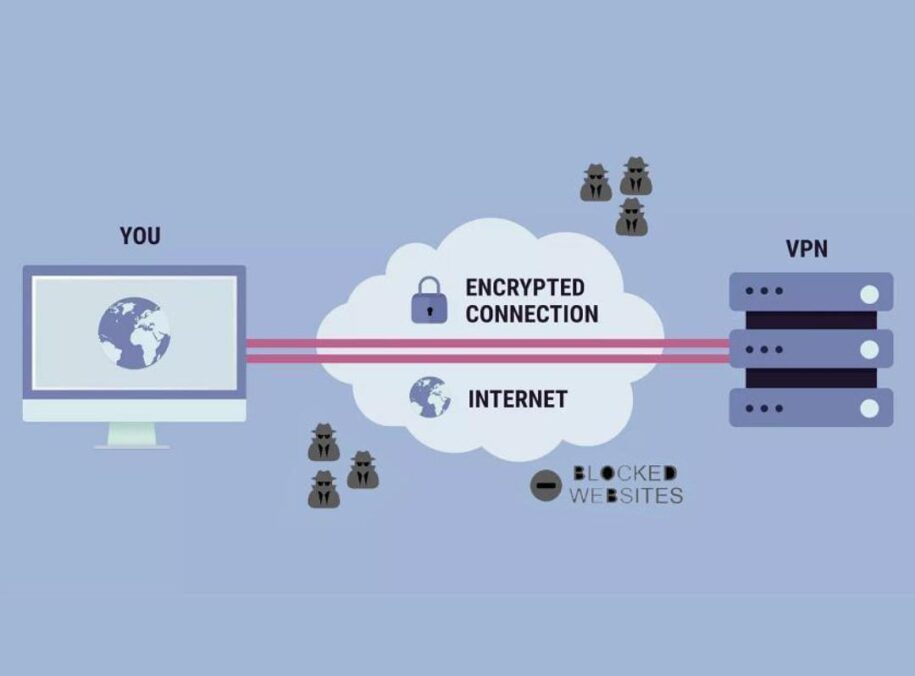
With a conventional VPN connection, browser traffic is routed through one selected VPN server before continuing to its destination. Double VPN introduces another routing stage, with traffic passing through two VPN servers instead.
VPN Browser’s feature documentation describes this as an additional connection hop. Users are not required to configure the individual servers manually. The routing is handled through the browser extension once Double VPN is selected.
That makes the feature distinct from simply choosing a different location. Users are changing the structure of the browser connection itself rather than selecting another destination from the location list.
Part of a Broader Feature Set
Double VPN is one of several functions currently available through the VPN Browser extension.
The platform also includes a kill switch that stops browser traffic if the VPN connection is interrupted, DNS leak protection, unlimited usage, browser-based routing, and access to locations across multiple regions.
VPN Browser currently lists more than 300 servers across 80 locations through its location directory. Available destinations span the Americas, Europe, Asia-Pacific, the Middle East, and Africa.
The VPN Browser locations directory provides the current list of countries and server counts. The service is designed around browser traffic rather than full-device configuration. Other applications running on the same computer are outside the browser extension’s routing process.
Why Browser-Level Controls Matter
Browser extensions have become a practical way of adding specialized functions without requiring a separate application for every task.
A browser is already where many people access web-based work platforms, communications tools, shopping sites, and other online services. Placing additional controls inside that environment can make those functions available without changing the configuration of unrelated applications.
Double VPN follows that model. The feature does not require users to manage a separate routing application. Instead, the additional server hop is selected within the existing browser extension.
Business Insider continues to cover the broader technology market through its Technology section, which includes reporting on software, consumer technology, and digital services.
Selecting a Connection Configuration
VPN Browser’s feature set gives users several ways to configure a browser connection.
A user can select a location from the available server directory, use the standard routing option, or choose Double VPN when a two-server connection is preferred.
Other controls can be accessed through the same extension, including the ability to stop browser traffic if the VPN connection drops and DNS routing settings.
Keeping those functions within one browser interface means users do not need to move between separate tools when changing their connection configuration.
A Separate Option for Browser Traffic
The introduction of Double VPN adds another configuration to VPN Browser rather than changing how the browser extension itself is used.
Users still install the extension, open the connection interface, and select a location. The difference is that Double VPN provides the option of adding another server to the route.
That gives users a choice between a single-server connection and a two-server routing path, depending on which configuration they want to use.
Looking Beyond a Single Server
The addition of Double VPN reflects a broader move toward giving browser users more granular control over how individual web connections are handled.
Instead of treating a VPN connection as one fixed configuration, VPN Browser’s feature set allows users to choose between different routing and connection options from within the browser.
The wider technology market continues to evolve alongside these browser-based tools. Business Insider Finance provides coverage of companies, markets, and business developments across the technology sector and beyond.
For VPN Browser, Double VPN adds another distinct function to its browser extension while keeping the underlying connection controls in one place.
About VPN Browser
VPN Browser is a browser extension for Google Chrome and Microsoft Edge that allows users to select a VPN server location and manage a browser-level VPN connection.
Its current feature set includes Double VPN routing, a kill switch, DNS leak protection, unlimited usage, browser-based routing, streaming functionality, and access to more than 300 servers across 80 locations.
For more information, users can visit https://vpn-browser.com