
Florida, United States, November 20th, 2026, FinanceWire
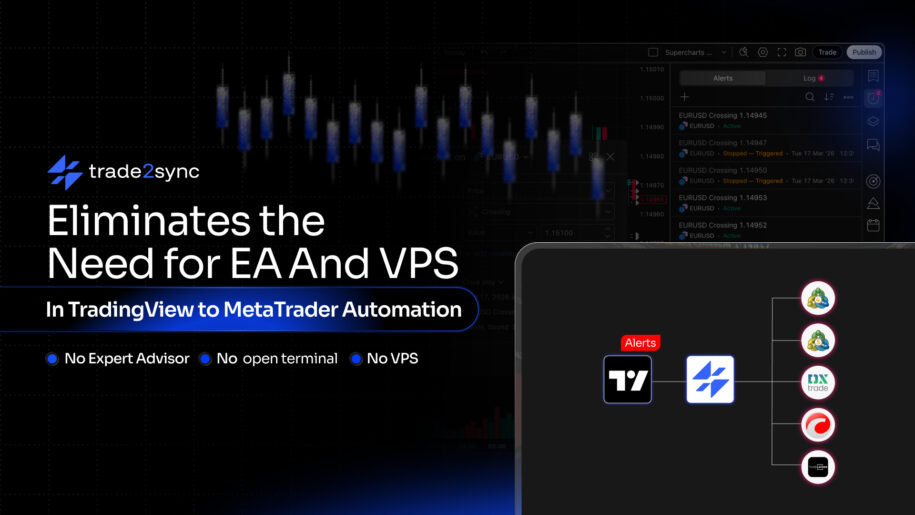
trade2sync’s cloud-based TradingView webhook connector sends TradingView alerts to MT4, MT5, cTrader, DXTrade, and TradeLocker accounts, with no Expert Advisor, no open terminal, and no VPS to keep running.
trade2sync has introduced a cloud-based trade automation bridge designed to simplify TradingView-to-broker automation. The new solution connects TradingView alerts directly to broker accounts, addressing common automation issues associated with running trade execution tools on a trader’s own computer.
trade2sync takes that machinery off the trader’s side. It still works as a trade automation bridge, connecting TradingView to the broker account, but the bridge runs in the cloud instead of inside the trader’s terminal, so no Expert Advisor (EA), open terminal, or virtual private server (VPS) is needed.
How A Trade Automation Bridge Works
A TradingView webhook sends an alert message to an outside web address when a chart condition is met. With a typical trade automation bridge, that message is passed to an EA attached to a chart inside the trader’s MetaTrader terminal, and the EA turns it into an order. Every link in that chain has to be online at the moment the alert fires: the bridge, the EA, the terminal, and the machine it runs on.
The chain breaks in ordinary ways. A Windows update restarts the server overnight, and the terminal does not reopen. A platform update detaches the EA from its chart. The internet connection drops for a few minutes. In each case, the alert is not held and retried; it is simply lost.
The traders often find out only after the move they meant to catch has already happened. With trade2sync, that chain no longer sits on the trader’s side, so there is nothing there to fail.
The Server That Exists Only To Stay Awake
To keep the chain alive, most bridge users rent a VPS or leave a home computer switched on day and night. The VPS does no trading of its own. It is paid for so that a MetaTrader terminal stays open, and it brings its own chores: updates, re-logins, and late-night remote desktop sessions to check that everything is still running. trade2sync makes that server unnecessary.
The Trading Platform Changes, The Bridge Stops
Most trade automation bridges were built for MetaTrader only. Many brokers and prop firms now offer, or have moved traders to, cTrader, DXTrade and TradeLocker. A trader whose funded account moves to one of those platforms can find that their automation no longer works, and at least one well-known bridge has already retired its DXTrade support.
trade2sync sends the same alert to MT4, MT5, cTrader, DXTrade, and TradeLocker, so a platform change does not mean rebuilding the setup.
Automated Entries, Manual Everything Else
Even when the bridge runs smoothly, it often stops at the entry. Many connectors act only on a strict command line, so a typo, a reordered field, or an indicator that changes its alert text means no trade. A strategy that closes half at a first target, moves the stop to breakeven, and protects every position with a stop loss still needs someone at the screen. trade2sync handles both the alert and what happens after the entry.
Not Every Webhook Connector Closes The Gap
Moving the bridge off the trader’s computer solves the always-on problem, but many webhook connectors and TradingView copy tools stop there. Some were built for futures, stock, or crypto brokers and do not connect to MetaTrader at all. Others offer cTrader or TradeLocker only as a beta, or leave out DXTrade entirely.
Many still demand a fixed alert syntax, open trades without managing them afterwards, or send each alert to a single account. Some charge for every connected account, keep only basic logs, or answer support questions only on weekdays.
For a trader with both MetaTrader and non-MetaTrader accounts, that can mean juggling two or three tools to automate one strategy. trade2sync covers MetaTrader and non-MetaTrader accounts in one tool and closes those gaps.
The Difference A Cloud-Based Webhook Connector Makes
With trade2sync’s cloud webhook connector, the trader connects a broker account once and pastes one webhook URL into a TradingView alert. When the alert fires, it is processed on trade2sync’s servers and sent to every connected account, with the trader’s devices switched off. Traders running several broker or prop firm accounts can send one alert to all of them, each with its own lot size and execution timing. Staggered timing matters for prop firm traders, as some firms restrict identical trades being placed on several accounts at the same instant.
The connector reads alerts as they are written, in plain text, multi-line messages, or JSON. If a Pine Script attaches a message ID to a signal, later alerts can point back to that trade to close half, move the stop to breakeven, or close it. When an alert arrives without a stop loss or take profit, the trader’s preset rules fill them in. The trader’s own risk rules sit above every alert, so position size is decided by the account holder rather than by whatever the alert says.
Visibility changes too. When a bridge fails, traders often cannot tell whether the alert never fired, was rejected, or failed at the broker. trade2sync records every alert in a signal log that can be checked on the web or in its iOS and Android apps, and connections are protected with SSL/TLS encryption, two-factor authentication, IP detection, and DDoS protection. If something does go wrong, human support is available around the clock.
On its product page, trade2sync sums up the difference between its tool and a typical alert bridge in one line:
“A connector connects. trade2sync manages the trade.”
The same connector also copies Telegram signals, so traders who follow signal channels can run both from the same tool.
2027 Is A Natural Point To Switch A Cloud Webhook Connector
Traders head into 2027 with more reasons to leave EA bridges behind. Platforms are spreading beyond MetaTrader, more traders run several funded accounts at once, and more of them manage their trading from a phone rather than a remote server. For anyone renewing a VPS each year, the start of a new year is the natural moment to ask whether the server is still needed at all.
Things A Cloud-Based Connector Doesn’t Change
A cloud-based connector removes a technical barrier between an alert and a broker account. It does not change the quality of the strategy behind the alert. A strategy that loses money by hand will lose it just as efficiently when automated, which is why every setup is worth testing on a demo account first. TradingView webhooks also require a paid TradingView plan. Trading forex, CFDs, and other leveraged products carries a high risk of loss, and automation tools do not provide trading signals or investment advice.
Learn More about the Cloud webhook Connector: trade2sync.com/products/tradingview-webhook.
About trade2sync
trade2sync began in 2019 as Telegram Signal Copier and later expanded into a cloud-based trade automation platform. It supports signal copying and TradingView webhook automation across MT4, MT5, cTrader, DXtrade, and TradeLocker. The platform has processed more than 1.8 million trades and serves traders in over 100 countries, easing trading automation for traders of all levels.